
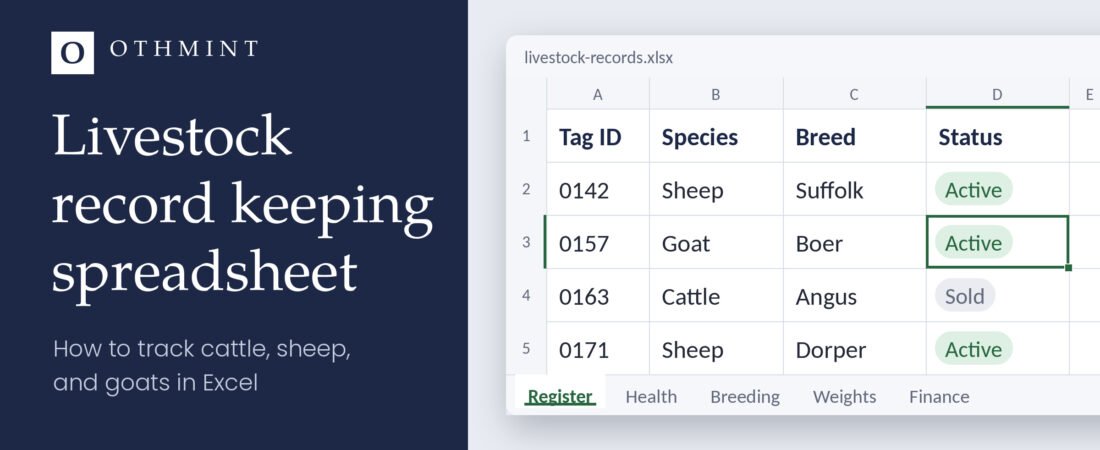
A livestock record keeping spreadsheet turns scattered notes into answers you can find in seconds: when a cow was last treated, which ewe is due next, or how many lambs you sold last spring. Most small farms still track animals in a notebook, a phone, and memory. That works until something goes wrong.
Good records matter more than most people think. The Merck Veterinary Manual notes that when a cow fails to calve on time, the most common reasons are that she isn’t pregnant or that the breeding or ID records are wrong.
This guide shows you how to build a simple livestock record keeping system in Excel or Google Sheets, step by step: what to track, the exact columns to use, ready-made formulas, and the mistakes to avoid.
What records should you keep for your livestock?
Five records cover most small farms. Start with the first two, then add the rest when you’re ready.
- Animal register: one row per animal, with tag number, species, breed, sex, date of birth or purchase, source, and status (active, sold, or died).
- Health records: every treatment and vaccination, with the date, the animal, the product, the dose, and the withdrawal period from the product label or your vet.
- Breeding and births: mating dates, expected due dates, and birth results, such as number born and number alive.
- Weights: regular weigh-ins, so you can see which animals are growing well and which need attention.
- Sales and expenses: what you sold, to whom, and for how much, plus feed, vet, and equipment costs. This is how you see whether the herd actually makes money.
Sample livestock record sheet: the columns to use
Use one sheet for each record type. These columns cover most small farms, and you can copy them as they are.
| Sheet | Columns |
|---|---|
| Register | Tag ID, Species, Breed, Sex, Date of Birth, Source, Status |
| Health | Date, Tag ID, Treatment or Vaccine, Product, Dose, Withdrawal End Date, Notes |
| Breeding | Dam Tag ID, Sire, Mating Date, Expected Due Date, Birth Date, Number Born, Number Alive |
| Weights | Date, Tag ID, Weight (kg or lb), Notes |
| Finance | Date, Type (Sale or Expense), Tag ID, Description, Buyer or Supplier, Amount |
How to create a livestock record keeping spreadsheet in Excel
The idea is simple: one sheet per record type, and one tag number that links them all.
- Give every animal a unique ID. Use its ear tag number. This one ID links the animal’s health, breeding, weight, and sales records.
- Create the Register sheet. Add the columns from the table above, in order: Tag ID, Species, Breed, Sex, Date of Birth, Source, Status. Fill one row per animal.
- Add drop-down lists. Select the Status column, go to Data → Data Validation, choose List, and type
Active,Sold,Diedin the Source box. Do the same for Sex and Species. Drop-downs stop the typos that break your counts. - Log events on their own sheets. Create the Health, Breeding, Weights, and Finance sheets. Each row is one event with a date and a Tag ID. Never overwrite old rows; add new ones.
- Turn each range into a table. Click inside your data and press Ctrl + T. Tables add filters and grow when you add rows, so your formulas keep working.
- Let formulas do the work. Four that most farms use:
- Active animals:
=COUNTIF(Register!G:G,"Active") - Expected due date, on the Breeding sheet with the mating date in C2:
=C2+147for sheep. The table below gives the numbers for cattle and goats. - Days until birth, with the due date in D2:
=D2-TODAY()(set the cell format to Number). - Sales this year:
=SUMIFS(Finance!F:F,Finance!B:B,"Sale",Finance!A:A,">="&DATE(YEAR(TODAY()),1,1))
- Active animals:
Cattle, sheep, and goat records: what changes
The core system is the same for every species. What changes is the birth record, the gestation length you use for due dates, and a few extra columns.
| Species | Birth record | Gestation (days) | Also worth tracking |
|---|---|---|---|
| Cattle | Calving | 279 to 287, depending on breed | Calving ease, weaning weight |
| Sheep | Lambing | 144 to 150 | Lambs born and weaned per ewe |
| Goats | Kidding | About 150 | Kids per doe, milk yield for dairy goats |
Cattle and sheep figures come from the Merck Veterinary Manual. Breed changes the number, so switch to your own herd’s average once you have a season of records.
Common livestock record keeping mistakes to avoid
- Typing the same thing different ways. “Ewe”, “ewe”, and “Ewe ” with a trailing space count as three different values. Drop-downs prevent this.
- Merging cells. Merged cells break sorting, filters, and formulas. Keep one value per cell.
- Mixing notes into data columns. Split “12 kg, limping” into two columns: Weight and Notes.
- Recording from memory days later. Enter events the same day, even from your phone.
- Keeping only one copy. Save the file to OneDrive or Google Drive, so a broken laptop doesn’t take your records with it.
Excel or Google Sheets for livestock records?
Both work. Excel is stronger offline and handles large files well. Google Sheets is free and easy to share, so a family member or worker can log a treatment from their phone in the field.
Pick the one you already use. The structure and formulas above work in both; only some menu names differ.
Build your own or use a livestock record keeping template?
Building your own file takes a few hours and some trial and error, but you’ll know exactly how it works. If you keep sheep or goats and would rather start recording today, the Othmint Livestock System is a ready-made spreadsheet for Excel and Google Sheets, built on the same ideas as this guide. Check the product page to see what’s included before you buy.
Raising cattle? We also build custom spreadsheets on request. Tell us about your herd and we’ll design a cattle version around the way you work.
Whichever you choose, the best record system is the one you actually update every week.
Frequently asked questions
What records should a livestock farmer keep?
At minimum, an animal register and health records. Add breeding, weights, and sales and expenses as your herd grows.
How do I calculate a due date in Excel?
Add the average gestation length to the mating date. If the mating date is in C2, use =C2+147 for sheep, =C2+150 for goats, or =C2+283 for cattle.
Can I keep livestock records in Google Sheets?
Yes. The same sheets, columns, and formulas work in Google Sheets, and it’s easier to share with family or farm workers.
How long should I keep livestock records?
Keep each animal’s records for as long as it’s on your farm, and longer for breeding stock and their offspring. Keep sales and expense records for as long as your local tax rules require.